Translate

Showing posts with label art. Show all posts

Wednesday, April 1, 2015

GIMP POWER

A cover is an important thing to have for one’s book. It’s the teaser of the story, the banner inviting people to take a closer look at what you’ve written. It’s also one of the hardest things to acquire, depending on your wallet. Photoshop is touted as the best software for digital art creation, but it also comes with a hefty cost. If that wasn’t bad enough, even when you buy the program you don’t get some of the fancy filters unless you buy those.

That’s where GIMP comes in. Most of you probably know about it already, but for those of you who don’t, the program is freeware, which means it’s 100% free to download and use without paying a cent. Ever. Now, there are many who will knock GIMP as being clumsy and primitive compared to Photoshop. I respectfully would like to disagree. I haven’t used Photoshop, but I do use GIMP, and while perhaps it is not on Photoshop’s level, I think it’s closer than most like to think. There is also the benefit of extensions like GMIC and MathMap that give all sorts of special effects and other things that you can do once you master them. Even more, if you visit Deviant Art, you can actually find Photoshop brushes that work with GIMP, as well as unrestricted stock that allow for greater possibilities.

GIMP does come with a learning curve, but let’s face it, anything you do in life has to be learned or you won’t grow. If you are willing to take the time and effort, I highly recommend visiting Youtube and Deviant Art for tutorials. I do need to point out that I haven’t found a lot of useful ones, or least ones that can teach me something I don’t know, on Deviant Art. As most look on GIMP as inferior, a lot of people on Deviant Art tend to give tutorials on how to do really simple and basic things, which is fine if you’re a newb, but terrible if you’re looking to craft something more creatively challenging. I recommend browsing the Photoshop tutorials. Those are better for creating more elaborate pieces of art, and you can take what you learn and apply it to GIMP.

The point of this post? To let people know that there is an alternative to the programs you have to pay out of your nose for—an alternative that is just as good as the paying stuff.

I started a page on Deviant Art for my artwork, and I decided I’d post a few samples on here so all of you can see for yourself just how good GIMP is and what it can do. Now all of these are photomanipulations (rough ones too) only. I haven’t learned yet how to paint digitally, but it’s one of those things I will be learning, just like I did with photomanipulating. Here is my work, and hopefully this will encourage some of you to give GIMP a try. To download GIMP, just go to their website and download it as well as the help manual:

(All art shown is copyrighted and not to be used or reproduced without my express permission.and those whose resources I use.)


All images my own.


Door stock by StormsStock ; Fire stock by TeaPotMysteries


Model stock by twilitesmuse ; Glitter Brush by Obsidian Dawn ; Moon brush by Hawksmont


Model stock by Marcus Ranum ; glitter brush by Obsidian Dawn

Wednesday, July 9, 2014

GIMP Cosmic II

And here are a couple other pictures I made that I was not able to get up with the first post. The first pic, I'll let you all try to guess what it is. So far, only two have been able to guess correctly. ;) 


Sunday, June 1, 2014

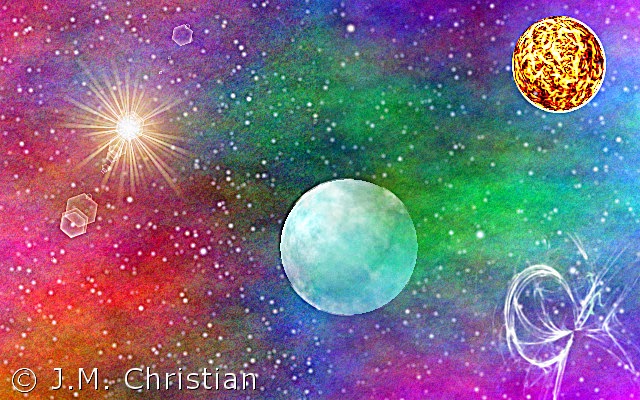
GIMP Cosmic I

After seeing Man of Steel, I had a hankering to create some kind of space art, so I went to GIMP to experiment. This pic came out so good, I thought I would post it on here. I would have posted another one I created, but I'm running into problems trying to upload it. I'll see if I can put it up in another post.


(Image is property of J.M. Christian and may not be reproduced or used without permission.)

Monday, October 7, 2013

Book Cover


Here is the back and front cover. Using a template from CreateSpace, I created the cover and design in GIMP, which is truly an incredible tool to work with. Creating the image was a bit tricky, as I'm not the best at drawing my own pics, and I have a long way to go before I can call myself a computer geek. Still, when you have God involved, everything works out. The image was originally a simple supernova with some flame added to it, but then I took one with just the supernova and opened it in Word where I then used one of Word's art effects to it. I got the image above, and it looked so awesome, both I and my mother were in favor of using this for the cover.
The fancy typeface on the front cover was created in GIMP as well. I had to create each piece of text as a separate image and then drop it onto the main one and try to center it. It was a lot of work and time, but I thank God it came out so well.


Thursday, September 19, 2013

GIMP art


In between working on my novel and all, I created a few images using GIMP, which I decided I would post on here for all of you to see. Bear in mind that they're not perfect as I'm still learning how to use the program properly. These are some of the better ones I created.


This was supposed to be an arrow, but it didn't exactly come out as good as I'd hoped.


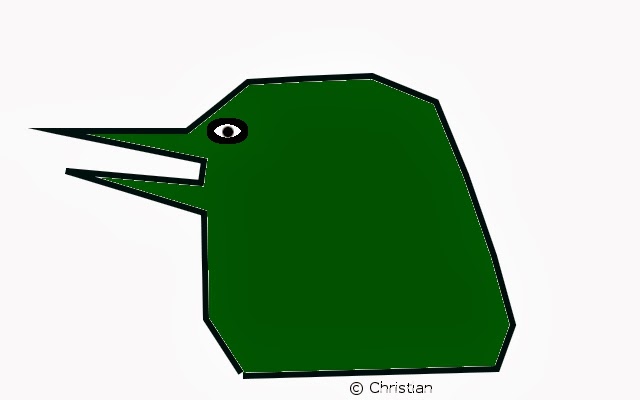
Yes, this is supposed to be a bird's head. It's rough, but it's much better than the last three I created.


The "S" came out a little crooked because I tried to paint it instead of using a path.